
Devices Tycoon Employee Management: Hiring & Morale
Master Devices Tycoon employee management with practical tips on hiring, upgrades, fatigue, bonuses, vacations, and offices. Build a stronger team on PC.
Jump to
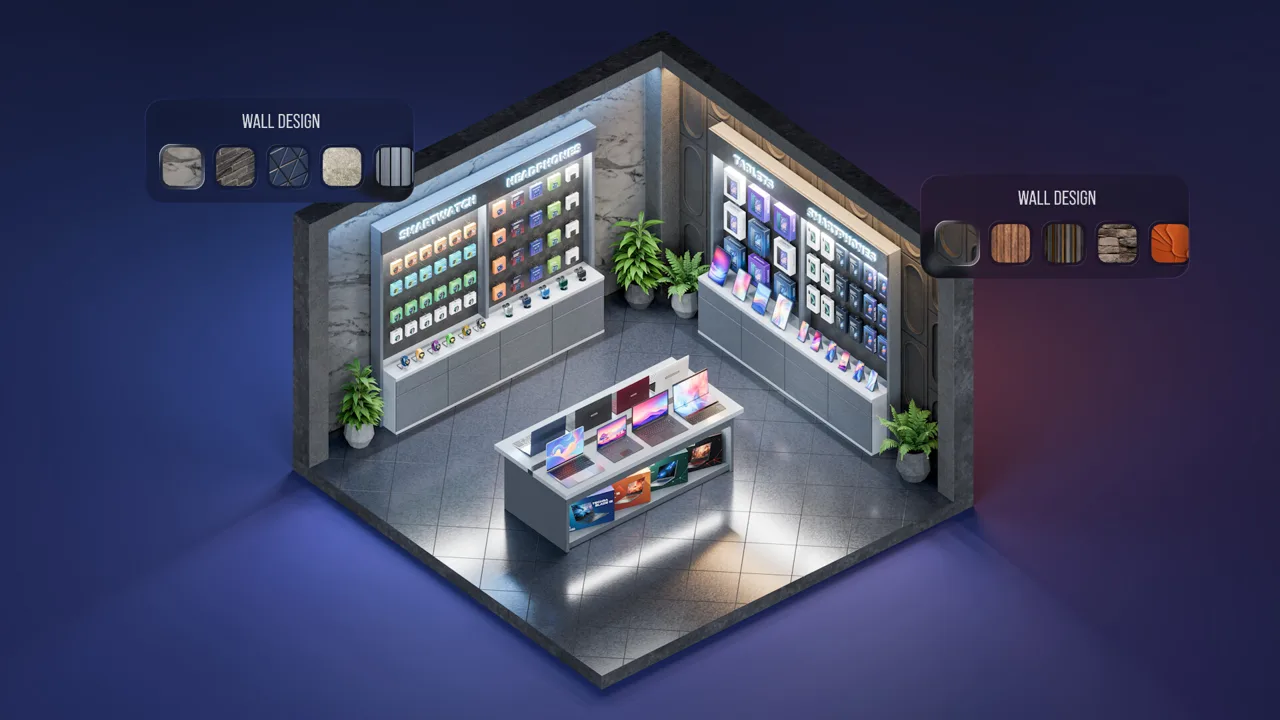
How Devices Tycoon Employee Management Works
Your next device depends on the team behind it. Devices Tycoon employee management connects recruiting, employee upgrades, fatigue, and working conditions, making staffing decisions part of your product strategy. Handle Devices Tycoon employee management with a clear purpose: recruit for the work ahead, improve useful skills, and respond when your employees need attention.
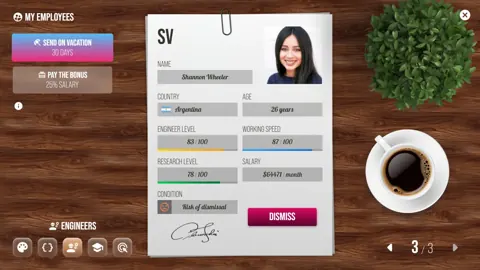
On PC, your company can employ five specialist types: designers, programmers, engineers, researchers, and marketers. Hiring involves choosing an HR company to find candidates, then deciding how much to invest in their existing skills and future development.
That creates several connected decisions:
| Management area | What it changes |
|---|---|
| Recruitment | HR companies have different characteristics that affect hiring |
| Employee upgrades | Improve staff performance, including device quality, bug reduction, and research point generation |
| Bonuses and vacations | Address morale or employee condition through different actions |
| Offices | Provide staff capacity and improve working conditions, mood, comfort, and productivity |
Keep these systems connected when spending your budget. Recruiting a skilled specialist, upgrading an existing employee, and improving an office address different needs.
Before making a purchase, identify the result you want. If you want better device quality, look at engineer upgrades. If your concern is employee fatigue, review wellbeing actions. If you need additional hiring space and better working conditions, examine your office options.
Build your Devices Tycoon employee management decisions around those concrete outcomes. This keeps each investment tied to something your company actually needs.
Official page: Devices Tycoon (roasterygames.com)
Recruit Specialists and Upgrade With a Purpose
Recruitment begins with finding employees through an HR company. The PC hiring system offers multiple HR companies, each with characteristics that influence the hiring process.
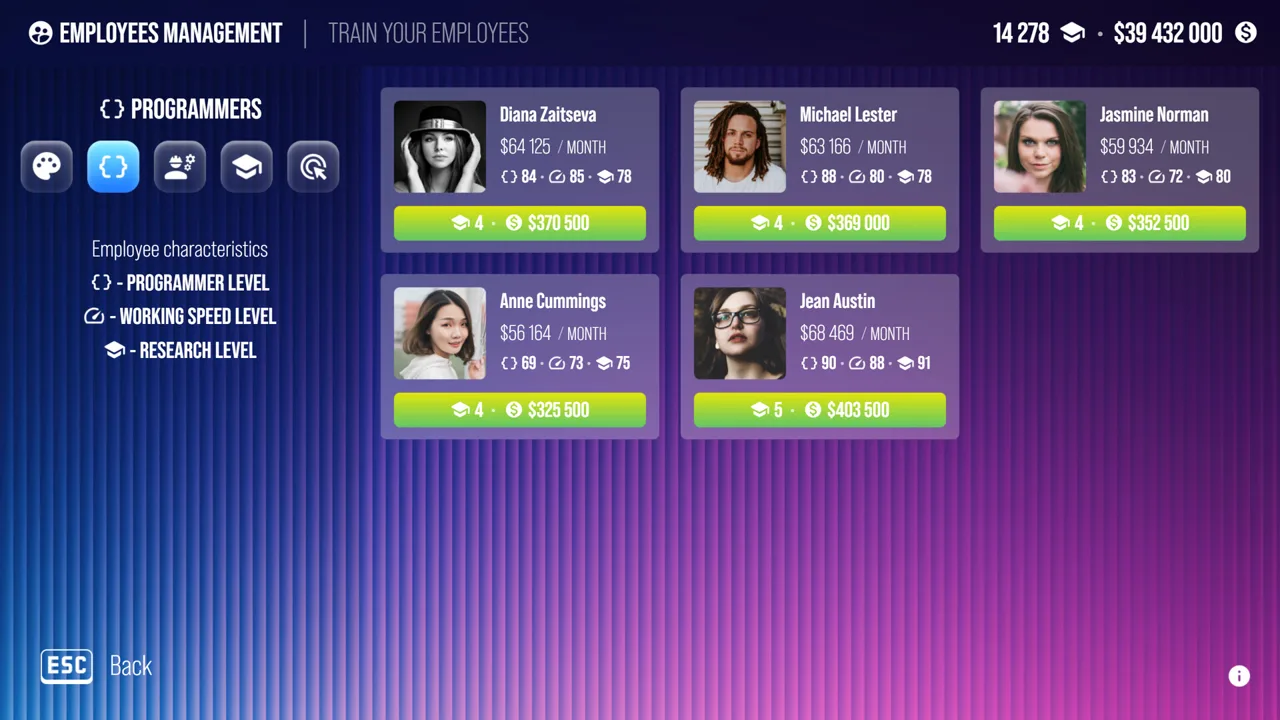 Image: Steam / Roastery Games
You can spend more to attract highly skilled employees or recruit less experienced staff and improve them over time. Employee development also costs money, so consider both recruitment and upgrades before choosing.
Compare Hiring and Development Costs
Look beyond the initial recruiting expense. A less experienced employee represents a different spending plan because improving that employee requires further investment.
Before choosing your next recruit:
- Compare the available HR companies and their displayed characteristics.
- Identify which specialist type you need.
- Review the candidate’s skills alongside the recruitment cost.
- Include employee development in your spending decision.
Avoid assuming that the least expensive recruit will remain the least expensive option after upgrades. Compare the costs shown in your game before committing.
Likewise, give an expensive candidate a clear purpose. Choose advanced skills because they support your plans, and keep enough flexibility to address employee wellbeing and office needs.
Match Upgrades to Their Actual Effects
Every employee can be upgraded, but several benefits are especially useful when planning your next investment.
| Upgrade target | Gameplay benefit |
|---|---|
| Engineers | Produce devices of higher quality |
| Programmers | Reduce bugs that can affect products later |
| Employee development more broadly | Increases research point generation for developing device features |
If you want to improve device quality, prioritize reviewing your engineers. If you want fewer product bugs, examine programmer development. For technology development, consider employee improvements alongside the research features you want to pursue.
For example, suppose you are deciding between another recruitment expense and upgrading an engineer. Start with your objective. If the immediate goal is higher device quality, the engineer upgrade has a direct connection to that result.
Use the same reasoning for programmers: invest in their skills when bug reduction is the outcome you want. Avoid promising yourself a particular improvement from an upgrade unless the game displays that information.
Devices Tycoon employee management becomes easier to evaluate when you can explain why each hire or upgrade belongs in your plan.
Manage Fatigue With Bonuses and Vacations
Employees get tired over time, and the PC version gives you two distinct ways to respond: vacations and bonuses.
Vacations restore employee condition, but the employee becomes temporarily unavailable for work. Bonuses provide a quick morale boost when you want to keep the employee available.
That distinction matters whenever you depend on someone’s work.
| Action | Effect | What to account for |
|---|---|---|
| Send an employee on vacation | Restores condition | The employee is temporarily unavailable |
| Give an employee a bonus | Provides a quick morale boost | Includes a spending decision |
| Give bonuses to all employees | Applies the bonus action across your staff | Review the scope before using the group action |
Choose Between Rest and a Morale Boost
Check whether you are addressing condition or looking for an immediate morale boost. Choose a vacation when you want to restore condition and can accommodate the employee’s absence.
Use a bonus when you need the morale boost while keeping staff available. Keep its purpose clear rather than assuming it performs the same function as a vacation.
For example, before sending a programmer away, consider whether you are relying on that employee for current work. The vacation restores condition, but temporary unavailability is part of the decision.
Review individual needs before applying a company-wide action. A group bonus is convenient, while vacation planning still requires attention to who will be away from work.
Use the Updated Bonus Shortcuts
The first post-launch update added the ability to give all employees bonuses with a single click after receiving a fatigue notification.
Update 1.3 added another convenient access point: a button in the sidebar of the office scene that gives bonuses to all employees. On a PC version with that update, use the office sidebar for the company-wide action.
The shortcut reduces the interaction required to distribute bonuses. It also makes it especially useful to check your finances before clicking.
Keep fatigue responses within your broader Devices Tycoon employee management plan. Address the immediate need, then review whether your working environment also deserves investment.
Upgrade Offices for Capacity and Working Conditions
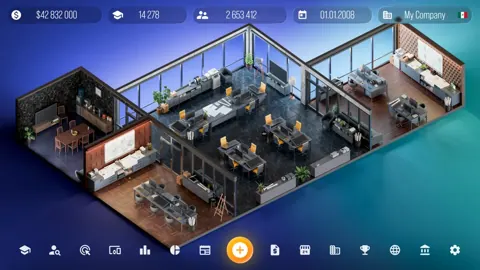
Office upgrades affect more than the appearance of your company. The PC office system includes 31 different offices to unlock as the business grows.
 Image: Steam / Roastery Games
New offices provide more space and better working conditions. Upgraded offices support additional hiring and improve employee mood, comfort, and overall productivity.
Those benefits connect office spending to both expansion and the performance of your existing team. Better environments support faster work, higher-quality results, and fewer problems associated with low morale.
Evaluate the Whole Office Upgrade
Before expanding your staff, check whether your office supports the hiring you have planned. Include the workspace in your recruitment budget instead of evaluating candidates separately.
Also consider the employees already working there. An office upgrade has value through working conditions as well as additional space.
Use these questions to focus the decision:
- Do you need room for additional employees?
- Do you want to improve staff comfort and mood?
- Does the upgrade fit alongside planned recruitment and development spending?
- Are you investing in the long-term working environment as well as immediate wellbeing actions?
Bonuses and vacations offer temporary help, while office upgrades provide a lasting improvement to the working environment.
Give office spending a place in your Devices Tycoon employee management budget. When reviewing another round of bonuses, also examine the longer-term benefits of the offices available to your company.
Build a Repeatable Staff Review Routine
Keep your staffing review connected to finances, research, and the features available in your PC version.
Several post-launch updates make that review more convenient:
| PC update | Relevant addition |
|---|---|
| First post-launch update | Bonuses for all employees after a fatigue notification |
| Update 1.2 | “Employees Are Always Happy” Sandbox toggle, detailed income and expense breakdowns, and a menu shortcut for collecting research points |
| Update 1.3 | Company-wide bonuses from the office sidebar and further financial statistics detail |
Review Spending Before Expanding
Use the detailed company statistics to examine income and expenses before another recruitment, upgrade, or bonus decision.
Compare your plans across several needs. You might be considering a skilled recruit, development for an existing employee, or an office with better conditions. Tie each expense to its intended benefit before choosing.
For a practical Devices Tycoon employee management review, work through this sequence:
- Identify the staffing outcome you want, such as better device quality or fewer bugs.
- Review the relevant employees and recruitment options.
- Check fatigue, morale, and condition before choosing wellbeing actions.
- Examine office capacity and working conditions.
- Review company finances before committing to the expense.
Use this as a decision checklist rather than a fixed spending formula. Your next action should follow the need you identify.
Connect Employee Development to Research
Employees generate research points during device development, and employee improvements can increase that contribution. Research points can then support new device features.
Update 1.2 added a “Collect Research Points” button directly to the game menu, reducing the need to visit the laboratory for collection.
Include that shortcut in your routine when managing technology development. Connect the points you collect with the features you want to develop, and include employee upgrades when reviewing how to support that goal.
Choose Your Sandbox Experience
Sandbox Mode offers a different way to handle the financial and wellbeing sides of management.
Unlimited money was added in the first post-launch update. Update 1.1 made Sandbox Mode available from the start, and Update 1.2 added the “Employees Are Always Happy” toggle.
Enable that happiness option when you want to focus your Sandbox session on other systems. Leave it disabled when you want employee happiness to remain part of your management decisions.
Use unlimited money to explore recruitment, employee upgrades, and offices without financial limits. Then apply what you learn about each system’s purpose when planning a company with budget constraints.
FAQ
What employee types are available on PC?
Devices Tycoon has five main employee types on PC: designers, programmers, engineers, researchers, and marketers. Recruitment uses HR companies to find candidates, and employees can be upgraded after hiring.
How do I give bonuses to all employees?
With Update 1.3, use the company-wide bonus button in the office scene’s sidebar. The first post-launch update also introduced a one-click group bonus action after a fatigue notification.
What is the difference between vacations and bonuses?
Vacations restore employee condition and make the employee temporarily unavailable for work. Bonuses provide a quick morale boost while keeping employees available. Choose the action based on the employee’s needs and whether you can accommodate an absence.
Can I simplify Devices Tycoon employee management in Sandbox Mode?
Yes. Update 1.2 added the “Employees Are Always Happy” toggle to Sandbox Mode. Sandbox also supports unlimited money, letting you explore hiring, employee upgrades, and office purchases without financial limits.
Continue with
 Devices Tycoon How to Make Money: Build Your ProfitsDevices Tycoon how to make money: build device sales, balance app monetization, control store costs, and plan investments to grow your company's profits.
More in Business
Devices Tycoon Company Acquisitions: Complete Guide
Master Devices Tycoon company acquisitions: reach 49% ownership, negotiate buyouts, and compare growth, income, and balanced strategies for your business.

Devices Tycoon Device Presentations: A Launch Guide
Learn how Devices Tycoon device presentations build launch hype, attract fans, and work alongside press conferences, DevicesGram, and marketing campaigns.
Devices Tycoon Investments: Stocks and Buyout Guide
Master Devices Tycoon investments with stock trading rules, the 49% acquisition requirement, company strategies, and tips for managing dividends and loans.

Devices Tycoon Loans: Bank Trust and Repayment Guide
Learn how Devices Tycoon loans work, manage repayment deadlines, build bank trust, and use company statistics to plan borrowing without draining your cash.
Join the community
Game links and player communities: